第12次课 · 第5章 · 3课时
地图定位与网络通信
1
教学目标
- 掌握地图组件的使用
- 理解定位API与逆地理编码
- 掌握WebSocket实时通信
- 能够实现位置相关功能
- 案例:案例5-3 查看附近的美食餐厅、案例5-4 在线聊天
2
重点、难点与课时分配
教学重点
地图组件、定位API、WebSocket实时通信
教学难点
地图标记与交互、WebSocket连接管理
课时分配(共 3 学时)
地图与 WebSocket 讲解 1 学时,案例 5-3/5-4 实操 2 学时
3
课件要点
地图组件
<map> 组件 — 原生地图展示
longitude / latitude — 中心经纬度
scale — 缩放级别(3-20)
markers — 标记点数组
bindmarkertap — 标记点击事件
bindregionchange — 视野变化事件
定位API
wx.getLocation — 获取当前位置(需授权)
type: wgs84(GPS坐标) / gcj02(国测局坐标)
wx.openLocation — 打开微信内置地图导航
scope.userLocation 授权管理
逆地理编码: 需调用第三方API(腾讯/高德地图)
WebSocket实时通信
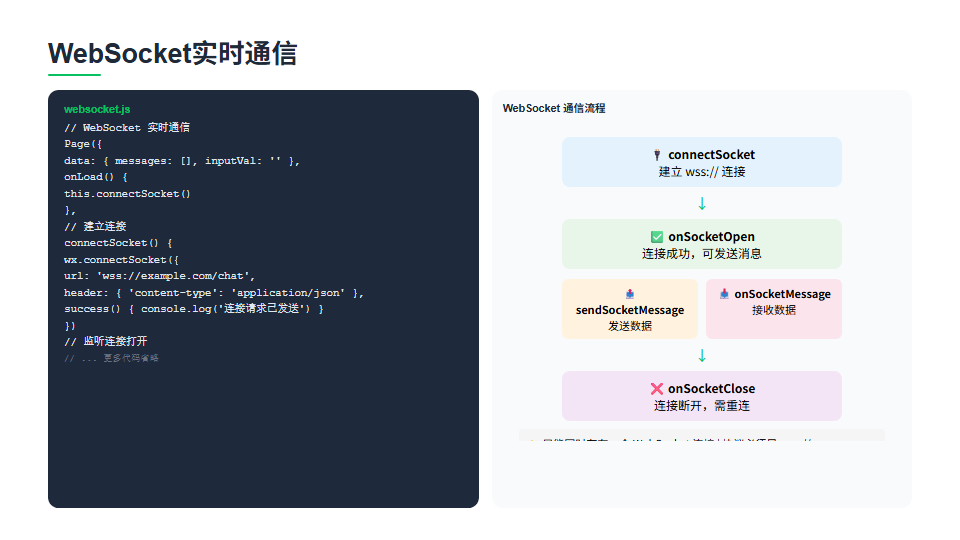
wx.connectSocket — 创建WebSocket连接
wx.onSocketOpen — 连接打开
wx.sendSocketMessage — 发送消息
wx.onSocketMessage — 接收消息
wx.closeSocket / wx.onSocketClose — 关闭连接
案例5-3 查看附近的美食餐厅 / 案例5-4 在线聊天
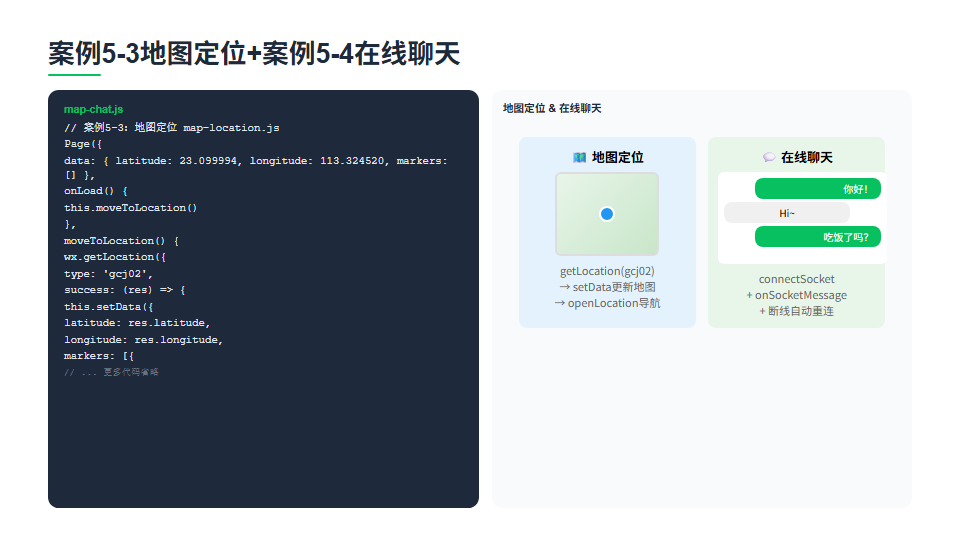
案例5-3 查看附近的美食餐厅 — getLocation 定位 → map markers 打点 → openLocation 导航
案例5-4 在线聊天 — connectSocket 建连,onSocketMessage 收消息,sendSocketMessage 发消息
markers 数组字段:id / latitude / longitude / iconPath / callout
断线重连:在 onSocketClose 中延时重连,并设置重连次数上限
综合运用地图与 WebSocket 完成两个教材案例
4
代码示例与讲解
地图组件
map-component.wxml
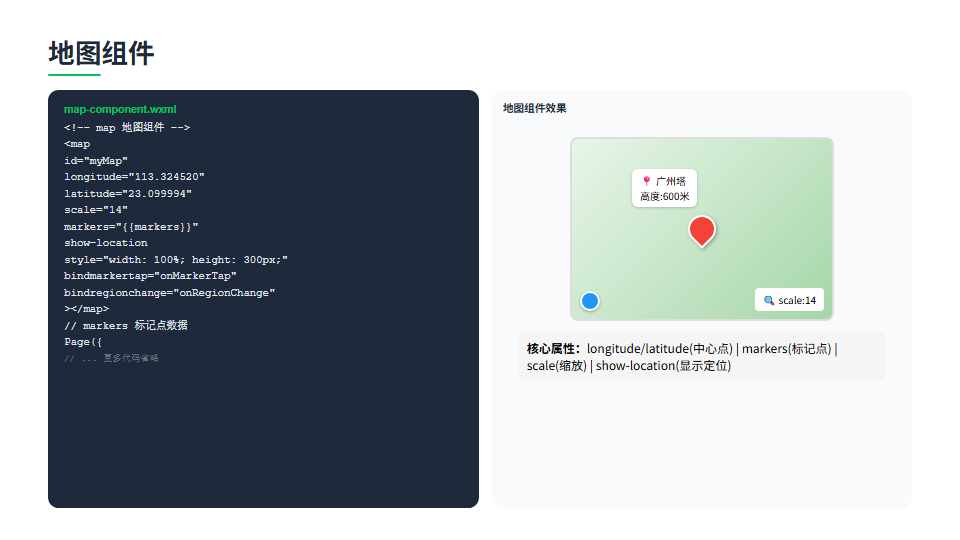
地图组件效果
1<!-- map 地图组件 -->
2<map
3 id="myMap"
4 longitude="113.324520"
5 latitude="23.099994"
6 scale="14"
7 markers="{{markers}}"
8 show-location
8 style="width: 100%; height: 300px;"
9 bindmarkertap="onMarkerTap"
10 bindregionchange="onRegionChange"
11></map>
12
13// markers 标记点数据
14Page({
15 data: {
16 markers: [{
17 id: 1,
18 longitude: 113.324520,
19 latitude: 23.099994,
20 title: '广州塔',
21 iconPath: '/images/marker.png',
22 width: 30,
23 height: 30,
24 callout: {
25 content: '广州塔\n高度:600米',
26 color: '#333',
27 fontSize: 14,
28 borderRadius: 8,
29 bgColor: '#ffffff',
30 display: 'ALWAYS'
31 }
32 }]
33 },
34
35 onMarkerTap(e) {
36 console.log('点击标记:', e.markerId)
37 },
38
39 onRegionChange(e) {
40 if (e.type === 'end') {
41 console.log('视野变化', e.causedBy)
42 }
43 }
44})
小程序 map 组件用于展示地图,核心属性:longitude 和 latitude 设置地图中心点经纬度,scale 控制缩放级别,markers 数组定义标记点,每个标记包含 id、经纬度、标题、图标和 callout 气泡窗。bindmarkertap 监听标记点击,bindregionchange 监听视野变化。show-location 属性显示当前定位蓝点。
定位API
location-api.js
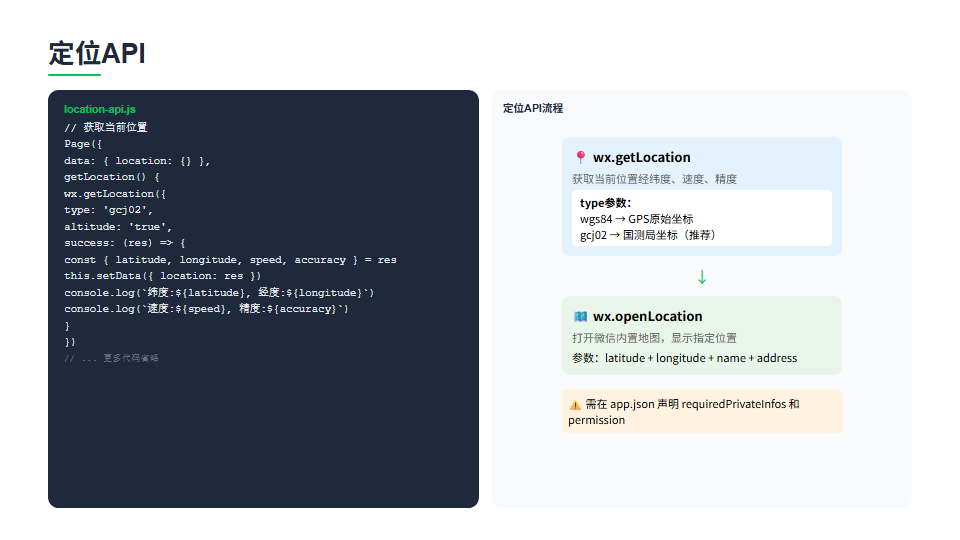
定位API流程
1// 获取当前位置
2Page({
3 data: { location: {} },
4
5 getLocation() {
6 wx.getLocation({
7 type: 'gcj02',
8 altitude: 'true',
9 success: (res) => {
10 const { latitude, longitude, speed, accuracy } = res
11 this.setData({ location: res })
12 console.log(`纬度:${latitude}, 经度:${longitude}`)
13 console.log(`速度:${speed}, 精度:${accuracy}`)
14 }
15 })
16 },
17
18 // 打开微信内置地图查看位置
19 openLocation() {
20 wx.openLocation({
21 latitude: 23.099994,
22 longitude: 113.324520,
23 name: '广州塔',
24 address: '广东省广州市海珠区',
25 scale: 18
26 })
27 },
28
29 // ⚠️ 坐标系说明
30 // wgs84: GPS原始坐标(国际标准)
31 // gcj02: 国测局坐标(中国标准,有偏移)
32 // map组件和openLocation需要gcj02坐标
33
34 // app.json 必须声明权限
35 // "requiredPrivateInfos": [
36 // "getLocation", "chooseLocation"
37 // ]
38 // "permission": {
39 // "scope.userLocation": {
40 // "desc": "你的位置信息将用于小程序位置接口的效果展示"
41 // }
42 // }
43})
定位 API:wx.getLocation 获取当前位置,type 参数指定坐标系,gcj02 是国测局坐标有偏移处理,map 组件和 openLocation 需要此坐标系;wgs84 是 GPS 原始坐标。返回纬度、经度、速度和精度。wx.openLocation 打开微信内置地图查看指定位置,可设置名称和地址。使用定位功能需在 app.json 声明 requiredPrivateInfos 和 permission 权限。
WebSocket实时通信
websocket.js
WebSocket 通信流程
1// WebSocket 实时通信
2Page({
3 data: { messages: [], inputVal: '' },
4
5 onLoad() {
6 this.connectSocket()
7 },
8
9 // 建立连接
10 connectSocket() {
11 wx.connectSocket({
12 url: 'wss://example.com/chat',
13 header: { 'content-type': 'application/json' },
14 success() { console.log('连接请求已发送') }
15 })
16
17 // 监听连接打开
18 wx.onSocketOpen((res) => {
19 console.log('WebSocket连接已打开')
20 this.socketOpen = true
21 })
22
23 // 监听服务器消息
24 wx.onSocketMessage((res) => {
25 const msg = JSON.parse(res.data)
26 this.setData({ messages: [...this.data.messages, msg] })
27 })
28
29 // 监听连接关闭
30 wx.onSocketClose(() => {
31 console.log('WebSocket已断开')
32 this.socketOpen = false
33 })
34 },
35
36 // 发送消息
37 sendMessage() {
38 if (!this.socketOpen) return
39 wx.sendSocketMessage({
40 data: JSON.stringify({
41 type: 'chat',
42 content: this.data.inputVal,
43 time: new Date().getTime()
44 })
45 })
46 this.setData({ inputVal: '' })
47 },
48
49 onUnload() {
50 wx.closeSocket()
51 }
52})
WebSocket 实现双向实时通信:wx.connectSocket 建立连接,url 必须是 wss:// 协议;wx.onSocketOpen 监听连接成功;wx.onSocketMessage 监听服务器推送的消息,收到后 JSON.parse 解析并更新列表;wx.sendSocketMessage 发送消息,data 为字符串格式;wx.onSocketClose 监听断开。注意小程序同时只能存在一个 WebSocket 连接,页面卸载时需 closeSocket 关闭。
案例5-3地图定位+案例5-4在线聊天
map-chat.js
地图定位 & 在线聊天
1// 案例5-3:地图定位 map-location.js
2Page({
3 data: { latitude: 23.099994, longitude: 113.324520, markers: [] },
4
5 onLoad() {
6 this.moveToLocation()
7 },
8
9 moveToLocation() {
10 wx.getLocation({
11 type: 'gcj02',
12 success: (res) => {
13 this.setData({
14 latitude: res.latitude,
15 longitude: res.longitude,
16 markers: [{
17 id: 1,
18 latitude: res.latitude,
19 longitude: res.longitude,
20 iconPath: '/images/my.png',
21 width: 30,
22 height: 30,
23 title: '我的位置'
24 }]
25 })
26 }
27 })
28 },
29
30 goToNav() {
31 wx.openLocation({
32 latitude: this.data.latitude,
33 longitude: this.data.longitude
34 })
35 }
36})
37
38// 案例5-4:在线聊天 chat.js(核心逻辑)
39Page({
40 data: { messages: [], inputVal: '' },
41
42 onLoad() {
43 this.connect()
44 },
45
46 connect() {
47 wx.connectSocket({ url: 'wss://chat.example.com' })
48 wx.onSocketOpen(() => { this.connected = true })
49 wx.onSocketMessage((res) => {
50 const msg = JSON.parse(res.data)
51 this.setData({ messages: [...this.data.messages, msg] })
52 })
53 wx.onSocketClose(() => {
54 // 自动重连
55 setTimeout(() => this.connect(), 3000)
56 })
57 },
58
59 send() {
60 if (!this.connected || !this.data.inputVal) return
61 wx.sendSocketMessage({
62 data: JSON.stringify({ content: this.data.inputVal })
63 })
64 this.setData({ inputVal: '' })
65 }
66})
案例5-3地图定位:调用 wx.getLocation 获取 gcj02 坐标,setData 更新地图中心点和标记点,openLocation 打开导航。案例5-4在线聊天:用 connectSocket 建立 wss 连接,onSocketMessage 接收消息并追加到列表,sendSocketMessage 发送消息。关键点:断线后通过 onSocketClose 监听并 setTimeout 3秒后自动重连,页面卸载时 closeSocket 关闭连接。
6
课堂视频
第12次课 · 地图定位与网络通信
本次课教学视频请在课堂现场观看
视频文件较大未随本站发布;如需回看,请向任课教师索取或在课程群下载。
7
教材案例源码
用微信开发者工具「导入项目」打开对应目录即可运行。知识储备是分知识点的最小示例,案例实现/项目实现是完整工程,服务器端是案例配套的后端接口服务。
8
课后实践
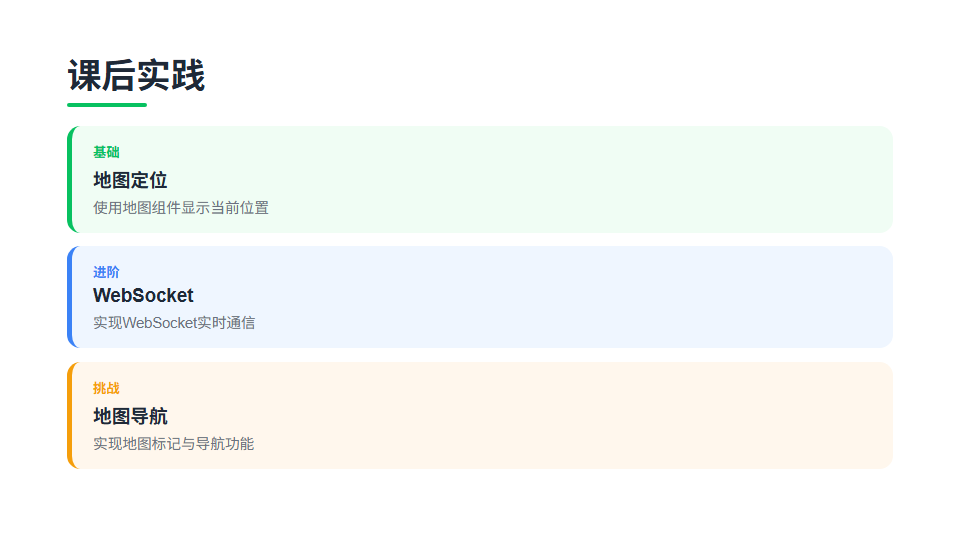
基础
完成附近美食
按照案例5-3,实现定位与地图标注功能,在地图上显示附近美食
进阶
完成在线聊天
按照案例5-4,使用WebSocket实现实时聊天功能
挑战
位置共享
结合地图和WebSocket,实现多人位置实时共享,在地图上显示所有在线用户的位置标记
9
本课小结
地图组件
定位API
WebSocket实时通信
案例5-3地图定位+案例5-4在线聊天